
Key Takeaways
- Dynamics 365 ERP Integration Design: Avoiding Common Failures.
- The $3.2 Million Integration Failure.
- Integration Architecture Patterns.
- Seven Common Integration Failures.
- Technology Stack Recommendations.
- Integration Cost Analysis.
On this page7 sections
Dynamics 365 ERP Integration Design: Avoiding Common Failures
The $3.2 Million Integration Failure
In 2024, a Fortune 500 healthcare distributor spent $3.2 million on a Dynamics 365 integration project that failed due to point-to-point integrations, no error handling, real-time sync overwhelming APIs, no data governance, inadequate testing, no monitoring, and poor documentation.
After 18 months of issues, EPC Group redesigned the architecture, achieving 99.8% data accuracy, zero integration outages, and $1.2M annual savings.
Integration Architecture Patterns
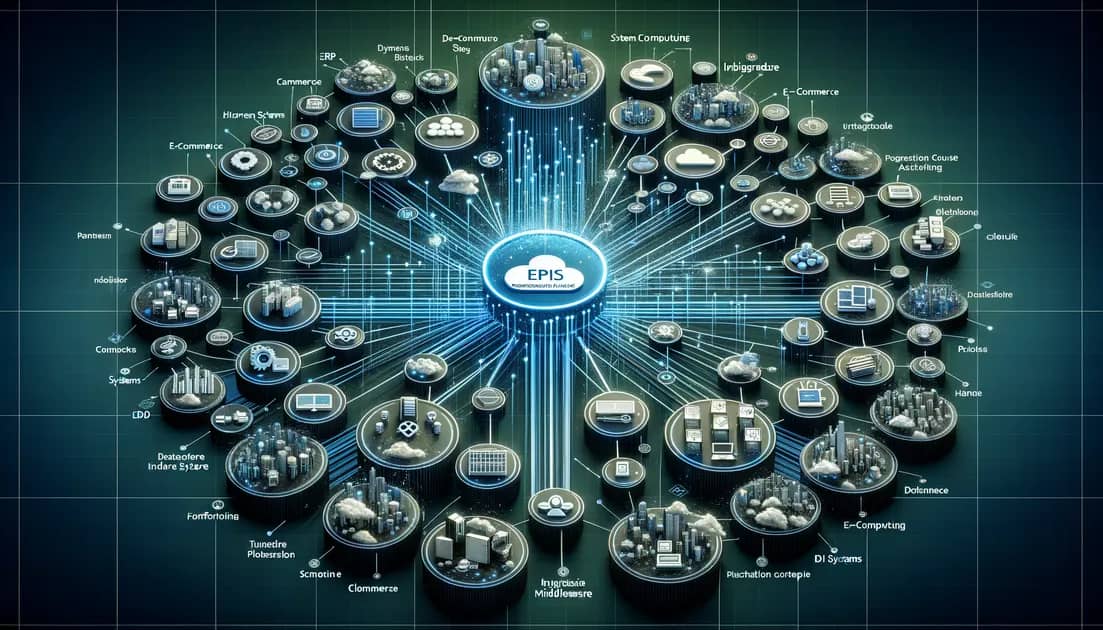
Pattern 1: Hub-and-Spoke with Azure Integration Services
Problem: Point-to-point creates exponential complexity (20 integrations for 5 systems).
Solution: Hub-and-spoke with Azure Logic Apps, Service Bus, Data Factory, and API Management reduces to 5 integrations, costing $650/month vs $800K upfront + $180K/year for point-to-point.
Pattern 2: Event-Driven Architecture
Problem: Polling causes delays and wasted API calls (288 polls/day, 95% finding nothing).
Solution: Business Events publish to Service Bus, triggering Logic Apps for near real-time sync (5-15 second latency), 95% reduction in API calls.
Pattern 3: Master Data Management with Dataverse
Problem: Conflicting master data across systems (customer exists with different IDs in ERP, CRM, warehouse, e-commerce).
Solution: Dataverse as MDM hub with global customer IDs linking all system-specific IDs, eliminating 16 mappings down to 4.
Pattern 4: Circuit Breaker for Resilience
Problem: Cascading failures when downstream systems go offline.
Solution: Circuit breaker pattern with CLOSED (normal), OPEN (fail fast), and HALF-OPEN (testing recovery) states prevents ERP from becoming unusable during integration outages.
Seven Common Integration Failures
Failure #1: No Error Handling - Silent data loss with no retry, notification, or logging
Solution: 4-level error handling (retry, dead letter queue, compensating transactions, human escalation)
Failure #2: API Rate Limits - 5,000 Black Friday orders overwhelm API limits
Solution: Micro-batching (10 orders per API call) and rate limiting with token bucket
Failure #3: No Data Validation - Invalid data synced causes fulfillment failures
Solution: Pre-integration validation layer with schema enforcement
Failure #4: No Monitoring - 2,100 orders stuck for 3 weeks undiscovered
Solution: Real-time dashboards, automated alerting, SLA tracking, business impact KPIs
Failure #5: Poor Documentation - Integration developer leaves, 6-week reverse-engineering required
Solution: Architecture docs, integration specs, runbooks, change management
Failure #6: Wrong Technology - Polling when event-driven needed
Solution: Technology selection guide (Power Automate for <50 users, Azure Logic Apps for 50-500, full Azure stack for 500-5,000)
Failure #7: No Disaster Recovery - Data loss during outages
Solution: Circuit breaker, dead letter queues, geo-redundant storage, quarterly DR testing
Technology Stack Recommendations
Small (10-50 Users): Power Automate, Dataverse, Power BI - $500-$1,500/month
Medium (50-500 Users): Azure Logic Apps, Service Bus, API Management - $1,500-$5,000/month
Large (500-5,000 Users): Full Azure stack with DevOps pipelines - $5,000-$20,000/month
Integration Cost Analysis
Simple (1 system): $50K-$100K
Medium (3-5 systems): $255K-$505K
Complex (10+ systems): $850K-$1.65M
Ongoing: Azure $1K-$20K/month, maintenance 15-20% of build cost annually
Frequently Asked Questions
Q: Build in-house or use iPaaS?
A: Azure for most scenarios - more cost-effective long-term. In-house 5-year cost: $450K vs iPaaS: $700K.
Q: Real-time vs batch?
A: Real-time for customer-facing transactions (<30 sec), batch for historical data and analytics (daily/weekly).
Q: API version changes?
A: Always specify API version, monitor deprecation notices, implement abstraction layer, automated testing.
Errin O'Connor is Founder & Chief AI Architect of EPC Group with enterprise ERP integration experience since 1997.
Errin O'Connor
Founder & Chief AI Architect
200+ ERP integrations, Azure architecture specialist
View Full ProfileRelated Articles
Salesforce to Dynamics 365 Migration: Enterprise CRM Consolidation Guide (2026)
Why enterprises are consolidating from Salesforce to Microsoft Dynamics 365 in 2026. The 4-phase migration runbook, Microsoft 365 Copilot grounding for sales + service data, cost economics, and Microsoft consulting heritage since 1997.
Dynamics 365Top 10 Microsoft Dynamics 365 Implementation Partners (2026)
Top 10 Microsoft Dynamics 365 implementation partners for 2026, expert-ranked across Sales, Customer Service, Finance, SCM, Business Central and Field Service.
Dynamics 365Dynamics 365 AI-ERP Transformation: Business Central 2026 Roadmap
Microsoft Dynamics 365 Business Central 2026 roadmap reveals AI-powered ERP capabilities with Copilot integration, predictive analytics, and automated workflows. Enterprise implementation guide for Fortune 500 migration from legacy systems.