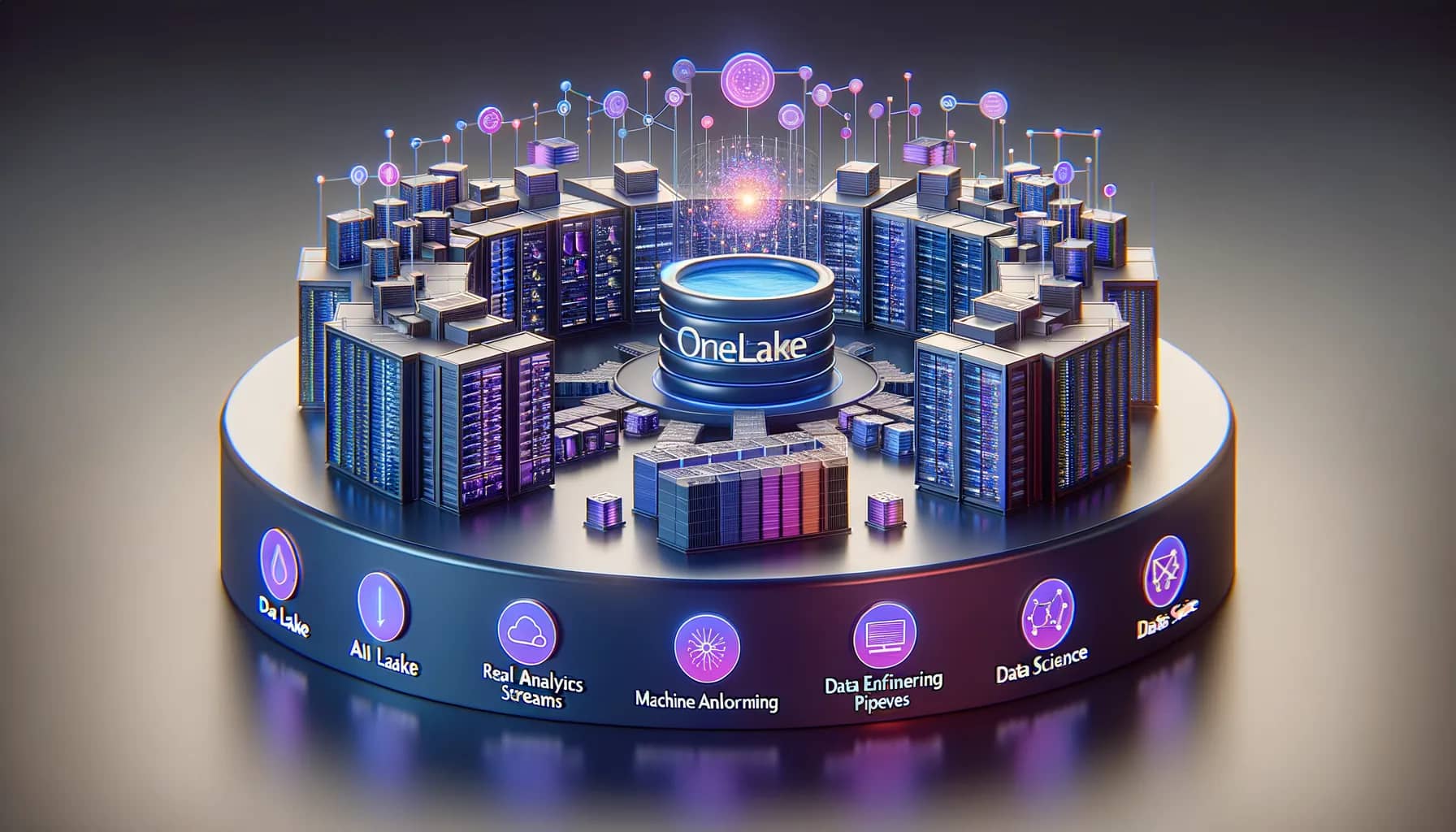
Modern Data Lakehouse on Microsoft Fabric
EPC Group architects Microsoft Fabric implementations — OneLake, lakehouse, Direct Lake semantic models, capacity planning, and Fabric governance — backed by 500+ Fabric implementations and 1,500+ Power BI deployments. Platform engineering and BI layer designed together by the same senior architects, not handed off. Tied directly to the wider enterprise pattern on Azure Analytics Architecture.
Fabric Capacity Planning and Cost Governance
F-SKU sizing tuned for actual workload mix, sustained-vs-burst capacity strategy, chargeback by department or domain, and Operate-stage governance on managed capacity — see the Managed Microsoft Services Operate practice.
Best for
- Enterprises modernizing Synapse or legacy warehouses to Microsoft Fabric
- Power BI Premium estates hitting import-model scale limits
- Regulated estates needing lineage from source to dashboard via Purview
- Multi-source analytics estates (SAP + Salesforce + operations) needing one governed surface
Not the right fit for
- Single-workbook reporting needs
- Non-Azure cloud-native estates
- Tool-agnostic platform bake-offs
Last updated by Errin O'Connor, Founder & Chief AI Architect, EPC Group
EPC Group brings Microsoft expertise to help you modernize your data architecture with Microsoft Fabric.
Start Your Fabric JourneyWhat is Microsoft Fabric?
Microsoft Fabric is an all-in-one analytics solution for enterprises. It addresses data movement, data science, real-time analytics, and business intelligence.
Microsoft Fabric includes a complete suite of services, such as:
- Data Factory
- Synapse
- Power BI
- And more—all unified in a single SaaS platform.
OneLake
Single data lake for your entire organization
Real-Time Analytics
Stream processing and live dashboards
Power BI Integration
Native BI with DirectLake mode
Our Microsoft Fabric Services
Data Lakehouse Architecture
Design and implement OneLake architecture with medallion pattern (bronze, silver, gold layers).
- • OneLake design & setup
- • Medallion architecture
- • Lakehouse best practices
- • Delta Lake optimization
Data Engineering
Build scalable data pipelines using Data Factory, Spark notebooks, and dataflows.
- • Data pipelines & orchestration
- • Spark/PySpark development
- • ETL/ELT transformations
- • Dataflows Gen2
Real-Time Analytics
Implement streaming analytics with KQL databases, event streams, and real-time dashboards.
- • Event streams & KQL
- • Real-time dashboards
- • IoT data ingestion
- • Streaming ETL
Power BI & DirectLake
Use Direct Lake mode for Power BI reports that read lakehouse data directly, with Import-comparable query performance and no refresh copy.
- • DirectLake semantic models
- • Report migration to Fabric
- • Performance optimization
- • Composite models
Governance & Security
Enterprise governance with Purview integration, sensitivity labels, and access controls.
- • Microsoft Purview integration
- • Data lineage & cataloging
- • Row-level security
- • Compliance frameworks
Migration & Modernization
Migrate from legacy data warehouses, Azure Synapse, or on-premises to Microsoft Fabric.
- • Synapse to Fabric migration
- • Data warehouse modernization
- • SSIS to Data Factory
- • Assessment & planning
Fabric F-SKU Sizing and Capacity Planning
Every Fabric workload draws from one pool of Capacity Units, so the F SKU is the largest single cost decision in the program. EPC Group sizes it from four measured inputs, not from the user count alone.
Concurrent users
Power BI report consumers and Fabric workload users active in the same hour, with the peak hour separated from the daily average.
Data volume in OneLake
Raw, curated and semantic-model footprints, because Direct Lake memory guardrails and Spark job size both scale with it.
Workload mix
Interactive BI, Spark ETL, Data Warehouse queries, Real-Time Intelligence streams and Data Activator rules consume Capacity Units at very different rates.
Refresh and job concurrency
How many pipelines, notebooks and semantic-model refreshes overlap, and whether they can be staggered or moved to a second capacity.
F2 to F32
Departmental and pilot workloads. Run pay-as-you-go while the Capacity Unit profile is still being measured, and reserve once 30 days of Capacity Metrics data show a steady baseline.
F64 and above
The enterprise production tier: Premium-equivalent Power BI features, free read-only viewers and the top Direct Lake guardrails. Most enterprise estates run production here and pair it with a small dev/test capacity.
Right-size after go-live
Reservations lower the monthly rate for steady workloads; burst demand stays on pay-as-you-go. EPC Group re-checks the SKU against real Capacity Unit consumption at 30, 60 and 90 days.
Model your own estate with the Fabric capacity calculator and the F-SKU cost model.
OneLake and Medallion Architecture
OneLake is the single storage layer every Fabric workload shares. EPC Group lays it out as a medallion lakehouse so the same data serves data engineering, data science and Power BI without copies.
Bronze
Raw landing zone. Source-system schema kept as delivered, append-only Delta tables, retention set by the record-keeping obligation of each source.
Silver
Cleansed and conformed. Deduplicated, typed and keyed Delta tables that carry the joins between systems; the layer data scientists and engineers work from.
Gold
Business-ready star schemas. These are the tables Direct Lake semantic models read, so Power BI serves OneLake data without an Import copy or a refresh window.
- Shortcuts. ADLS Gen2, Amazon S3 and Dataverse data referenced in place, so migration starts without an ingestion copy.
- Domains and workspaces. Data-mesh ownership per business domain, one lakehouse per domain per zone, and a naming standard set before the first dataset lands.
- Cross-workspace governance. Purview sensitivity labels, endorsement rules and lineage from bronze to dashboard, so HIPAA, SOC 2 and FedRAMP evidence is a query rather than a project.
Microsoft Fabric vs Power BI: What's the Difference?
Understanding when to use Microsoft Fabric versus standalone Power BI is critical for making the right investment.
| Feature | Power BI Pro/Premium | Microsoft Fabric |
|---|---|---|
| Data Storage | Import models, DirectQuery | OneLake (centralized data lake) |
| ETL/Data Pipelines | Dataflows only | Full Data Factory + Dataflows Gen2 |
| Data Warehouse | Not included | Synapse Data Warehouse included |
| Real-Time Analytics | Limited streaming | Full KQL databases & event streams |
| Query Performance | Import or DirectQuery | Direct Lake (Import-comparable, no refresh copy) |
| Best For | BI & reporting only | End-to-end analytics platform |
EPC Group recommendation: Organizations with complex data needs or multiple data sources should consider Fabric. This is especially true for those planning advanced analytics.
However, for pure reporting scenarios, standalone Power BI Premium may still be beneficial.
Microsoft Fabric Pricing Guide 2025
Microsoft Fabric uses capacity-based pricing measured in Capacity Units (CUs). Here's what you need to know about costs.
F2 Capacity
$263/month
2 Capacity Units
- ✓ Small workloads & POC
- ✓ Limited concurrent users
- ✓ Basic data engineering
F64 Capacity
$8,410/month
64 Capacity Units
- ✓ Enterprise workloads
- ✓ Full Copilot features
- ✓ Direct Lake guardrails lifted (unlimited model size)
- ✓ Multiple workspaces
F1024 Capacity
$134K/month
1024 Capacity Units
- ✓ Massive enterprise scale
- ✓ High concurrency
- ✓ Complex ML workloads
Microsoft list price · USD · East US · pay-as-you-go, rounded to the dollar (F2 $262.80 · F64 $8,409.60 · F1024 $134,553.60 per 730-hour month at $0.18 per CU-hour); reservations price differently (F64 1-year ≈ $5,003/month) · as published September 2026 · Azure pricing page · verified against the Azure Retail Prices API on 2026-09-22.
Cost Optimization Tip: Fabric capacity can be paused when not in use. EPC Group sizes the F SKU to measured CU consumption, schedules pauses for dev/test capacities and tunes the heaviest workloads; the saving is measured per estate, not quoted as a percentage.
Why Microsoft Fabric?
Unified Platform
One platform for data engineering, data science, real-time analytics, and BI. No more managing multiple disparate tools.
Cost Efficiency
Single capacity billing model, automatic scaling, and reduced infrastructure management overhead.
AI-Ready Infrastructure
Built-in Copilot capabilities, machine learning integration, and the foundation for enterprise AI initiatives.
Enterprise Security
Deep Microsoft security integration, Azure AD authentication, and Purview governance out of the box.
Why EPC Group for Microsoft Fabric?
Microsoft Data Platform Expertise: From SQL Server 7.0 to Microsoft Fabric, we've been at the forefront of every Microsoft data platform evolution.
Power BI Authority: Microsoft Press bestselling author with deep expertise in the analytics workloads that connect to Fabric.
Enterprise Implementation: Fortune 500 experience with large-scale data platforms, migrations, and governance frameworks.
Compliance-First: Deep experience implementing data platforms for HIPAA, SOC 2, and FedRAMP environments.
Frequently Asked Questions
Common questions about our Microsoft Fabric consulting services
What is Microsoft Fabric and how does it differ from Power BI?
Microsoft Fabric is Microsoft's unified data and analytics platform combining data engineering (Data Factory, Synapse), data science (notebooks, ML models), data warehousing (Synapse Data Warehouse), real-time analytics (KQL databases, event streams), and business intelligence (Power BI) into a single SaaS platform with OneLake storage. Unlike standalone Power BI, Fabric provides end-to-end data lifecycle management from ingestion to visualization. EPC Group has completed 500+ Fabric implementations across North America.
How long does a Microsoft Fabric implementation take?
Fabric implementations vary by scope: simple Power BI migration to Fabric takes 4-6 weeks, mid-sized implementations with data warehousing and ETL pipelines take 8-12 weeks, and enterprise Fabric deployments with data governance and lakehouse architecture take 4-6 months. EPC Group accelerates timelines using proven Fabric implementation frameworks and migration accelerators.
What are the benefits of migrating from Power BI to Fabric?
Migrating Power BI to Fabric provides: unified data platform eliminating data silos, OneLake storage with automatic delta lake conversion, Direct Lake mode with query performance comparable to Import mode and no refresh copy (Microsoft Learn), built-in data engineering with Data Factory pipelines, Git integration for version control, workspace-level governance with simplified security, and automatic scalability. EPC Group migrates existing Power BI Premium workspaces to Fabric with zero downtime and backward compatibility.
How much does Microsoft Fabric cost?
Microsoft Fabric uses capacity-based pricing, quoted here at Microsoft list price in USD for East US pay-as-you-go as published September 2026: F2 capacity (2 CUs) costs $0.36/hour ($262.80/month), F64 capacity (64 CUs, the Premium P1 equivalent) costs $11.52/hour ($8,409.60/month), and F1024 capacity (1024 CUs, for massive workloads) costs $184.32/hour ($134,553.60/month). Reservations price differently: a 1-year F64 reservation is about $5,003/month at Microsoft list. Capacity can be paused when not in use. EPC Group performs capacity planning and cost optimization; the saving depends on the estate and is quantified in the assessment rather than quoted as a percentage.
Can you migrate from Databricks, Snowflake, or other platforms to Fabric?
Yes. EPC Group migrates data platforms from Databricks, Snowflake, AWS Redshift, Google BigQuery, and legacy on-premises data warehouses to Microsoft Fabric. Our migration methodology includes data lineage mapping, notebook conversion (Databricks → Fabric notebooks), SQL translation, Delta Lake compatibility validation, and BI dashboard migration. Typical migrations take 3-6 months depending on data volume and pipeline complexity.
Do you provide Fabric training and managed services?
Yes. EPC Group offers Microsoft Fabric training for data engineers, data scientists, BI developers, and administrators. Training covers OneLake architecture, Fabric notebooks, Data Factory pipelines, Synapse Data Warehouse, and Power BI integration. We provide managed services including 24/7 capacity monitoring, performance optimization, data governance enforcement, and cost management. Support SLAs include 1-hour response for critical issues and monthly optimization reviews.
Should I migrate from Snowflake to Microsoft Fabric?
Enterprises that already run Microsoft 365 and Power BI can lower total cost of ownership by consolidating a separate analytics warehouse such as Snowflake onto Fabric: one capacity bill replaces a second platform's compute, storage, and integration licensing. The savings come from a single licensing relationship (Fabric replaces separate Azure Data Factory, Synapse, and Power BI Premium contracts), OneLake-native semantic models (Power BI Direct Lake reads from OneLake without data duplication), and eliminated Snowflake egress fees, because data stays in Microsoft's ecosystem. The size of the saving depends on the estate, so EPC Group quantifies it in a fixed-fee Fabric vs Snowflake TCO assessment rather than quoting a percentage.
Ready to Modernize Your Data Platform?
Let's discuss how Microsoft Fabric can unify your analytics and accelerate your data initiatives.
Related Services
Power BI Consulting
Enterprise dashboards and analytics that integrate seamlessly with Fabric.
Azure Cloud Services
Hybrid cloud architecture connecting Fabric to your Azure infrastructure.
Data Governance
Enterprise data governance frameworks with Purview and Fabric.
Data governance consulting
The ranked 2026 list of data governance consulting firms, with the Purview-first criteria that separate them.
Related Resources
Fabric IQ Explained: The New Trust Layer for Power BI & Copilot
Fabric Data Agents, the two licensing meters most deployment plans miss, and the ten-item semantic layer readiness checklist behind every grounded Copilot answer.
Top Microsoft Consulting Firms 2026
EPC Group vs Slalom, Avanade, Perficient, Pragmatic Works — and the wider AI-cited landscape of 13 GSIs.
What Is Power BI? 2026 Complete Guide
The five components, 2026 pricing tiers (Pro / PPU / Fabric F-SKU), training paths, and how Power BI fits into the Fabric data fabric.
Governed AI on Microsoft Framework
The May 2026 unified governance model across Purview, Fabric, Entra, Copilot grounding, and Defender — the foundation for safe AI on Fabric.
Microsoft Cloud Orchestrator Practice
One accountable senior-architect partner across Strategy through 24/7 Run — for Fabric, Power BI, Azure, and Microsoft 365.
Federal Government Microsoft Consulting
Fabric for federal civilian + DoD: GCC High, Azure Government IL5, FedRAMP, CMMC 2.0 — by a firm with documented federal track record.
Microsoft Fabric in GCC High checklist for defense contractors
Nine written answers — availability, scope, identity, labels, logging, capacity, agents, first workload, exit — before the first capacity holds CUI, mapped to TAR-8.
GCC High, Fabric and CMMC Scoping Call
Thirty minutes with a senior architect on Fabric in GCC High: assessment boundary, first workload, the eight tenant surfaces, first sixty days.
Microsoft Fabric vs Databricks
Enterprise comparison of Microsoft Fabric and Databricks for data engineering, lakehouse architecture, and analytics workloads.
Azure Data Lake + Power BI Architecture
OneLake + ADLS Gen2 + Delta Lake medallion (Bronze/Silver/Gold) + Power BI Direct Lake — sub-second on billion-row facts, Microsoft Purview lineage end-to-end.
Fabric Capacity + Power BI Admin Support
Monthly retainer for Fabric F-SKU + Power BI Premium capacity rightsizing, sprawl control, 24/7 incident response, quarterly compliance attestation. 20-40% capacity cost reduction.
Power BI Governance Center of Excellence
Six-pillar assessment, remediation, and a Center of Excellence installed with your people in the roles — tenant controls, certified semantic models, deployment pipelines, capacity against list pricing.
Microsoft Fabric Governance Assessment
OneLake, domains, workspaces, semantic models, capacity cost and Purview scored with evidence — a remediation plan and a redacted sample deliverable, before the estate grows or AI is enabled on it.
Enterprise Power BI / Fabric for Multi-BU Orgs
Holding companies + multi-tenant + multi-region + sovereign cloud (GCC High / DoD / MS Cloud for Sovereignty) + M&A tenant integration with federated Fabric capacity sharing.
Get a Free Consultation
Fill out the form below and our team will get back to you within 24 hours.
Related Articles & Deep-Dives
Browse EPC Group's detailed enterprise guides on this topic and adjacent practice areas.
- Microsoft Fabric vs Snowflake — 2026 Enterprise Decision Framework
- From Legacy BI to Microsoft Fabric — Modernization Roadmap
- The AI-Safe Power BI Rollout Playbook
- Healthcare HIPAA-Native Microsoft Fabric Architecture
- Snowflake to Microsoft Fabric Migration
- FabCon Europe 2026 and Fabric in GCC High: the seven decisions before your capacity renews
- Fabric capacity FinOps: the monthly operating model for CU hours, overage and surge protection
- Release: the nine-point GCC High data-foundation checklist as Fabric goes GA during the CMMC Phase 2 pause
- Dataflow Gen1 to Gen2 Migration: the Microsoft Fabric guide
Deep-Dive Guides
Related enterprise references from the EPC Group knowledge base:
Related reading
- CI/CD for Microsoft Fabric: Version Control and Deployment Pipelines
- Microsoft Fabric and Power BI Deployments Face ETL Breakage from Dataflow Gen1 Retirement
- Analytics Operating Model: Fabric Hub-and-Spoke Blog
- EPC Group vs Slalom: Microsoft Fabric Implementation Partner Comparison (2026)
- ETL Optimization in Microsoft Fabric: Simplifying Bloated Dataflows